
Best MCP Servers for Kimi: Data and Tool AccessKimi 最佳 MCP Server:数据与工具接入指南
Compare MCP servers for Kimi by capability fit, permissions, data quality, setup effort, and production reliability.
从能力匹配、权限、数据质量、配置成本和生产可靠性,对比适合 Kimi 的 MCP Server。
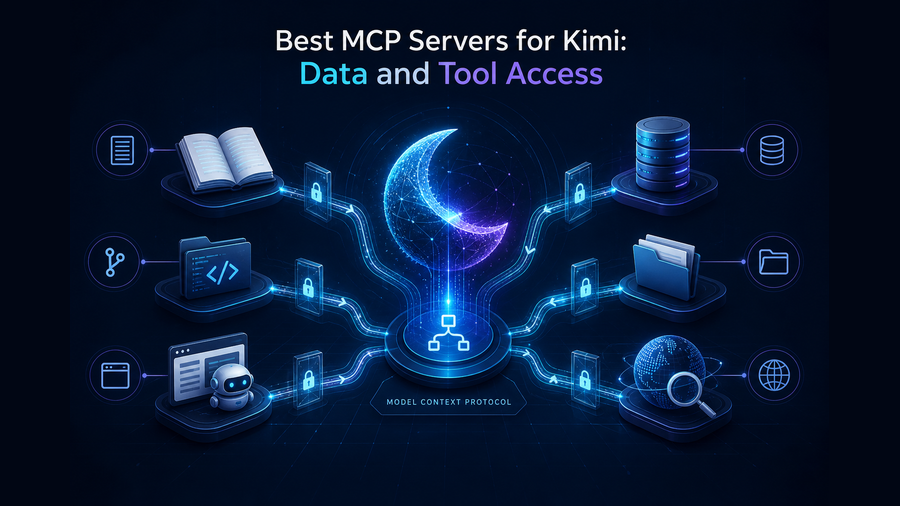
The short answer: build a small, task-shaped MCP stack
For most Kimi Code CLI users, Context7 plus GitHub is a strong starting pair: one supplies current library documentation and the other exposes repository work through structured tools. Add Playwright when Kimi Code CLI must verify a web interface, Chrome DevTools for browser diagnostics, Supabase for a Supabase project, Filesystem for tightly bounded local files, Fetch for simple web retrieval, and Sequential Thinking only when an explicit reasoning scaffold helps.
“Best” here means useful for common software work, clearly documented by its maintainer, compatible with Kimi Code CLI's MCP transports, and capable of being scoped. It does not mean every server belongs in every workspace, nor does placement in this list imply endorsement by the Kimi team.
| # | Server | Best for | Access level | Install when… |
|---|---|---|---|---|
| 1 | Context7 | Current library docs | Remote knowledge | APIs change faster than model memory |
| 2 | GitHub MCP | Issues, PRs, code | Read/write by token | Work happens on GitHub |
| 3 | Playwright MCP | Browser workflows | Browser actions | Kimi must test UI behavior |
| 4 | Chrome DevTools MCP | Diagnostics | Browser inspection | Console/network evidence matters |
| 5 | Supabase MCP | Supabase projects | Project data/tools | The app uses Supabase |
| 6 | Filesystem | Bounded local files | Configured directories | Built-in access is insufficient |
| 7 | Fetch | Web content retrieval | Network read | You need bounded URL reads |
| 8 | Sequential Thinking | Explicit problem decomposition | No external data | A visible reasoning scaffold helps |
8 MCP servers worth considering for Kimi
Context7
Best overall first installContext7 retrieves version-aware documentation and examples for libraries. It is especially useful when Kimi Code CLI is generating code against fast-moving frameworks where remembered syntax may be stale.
"context7": {
  "url": "https://mcp.context7.com/mcp"
}
GitHub MCP Server
Best for repository workflowsGitHub's official MCP server can connect an agent to repositories, issues, pull requests, and other GitHub workflows. Its value is also its risk: scope credentials to the minimum repositories and operations required, and avoid broad write access for research-only tasks.
Playwright MCP
Best for browser automation and UI checksPlaywright MCP gives Kimi Code CLI a browser automation surface for navigation, interaction, and page-state inspection. Use it when completion requires evidence that a user journey works—not simply when reading source code is enough.
"playwright": {
  "command": "npx",
  "args": ["-y", "@playwright/mcp@latest"]
}
Chrome DevTools MCP
Best for browser diagnosticsChoose Chrome DevTools MCP when the job centers on console errors, network behavior, page performance, or runtime inspection. It overlaps with Playwright, but the distinction is useful: Playwright is usually the workflow runner; DevTools is the diagnostic lens.
"chrome-devtools": {
  "command": "npx",
  "args": ["-y", "chrome-devtools-mcp@latest"]
}
Supabase MCP
Best for Supabase-backed applicationsSupabase MCP is the focused choice for applications already built on Supabase. Connect it to a development project first, select only the features needed, and keep production data outside exploratory agent sessions. For general database work, prefer a vendor-specific server over an unmaintained generic connector.
Filesystem MCP Server
Best for explicitly bounded file accessThe Filesystem reference server supports file operations inside configured directories. It can help with assets or data located outside Kimi's normal project context, but it is frequently unnecessary because coding agents already understand their workspace. Never expose a home directory or broad drive when one project folder will do.
Fetch MCP Server
Best for simple web retrievalFetch converts web content into a form an agent can consume. It is useful for bounded public-page retrieval, but it is not a full browser and should not be treated as proof that an interactive flow works. Respect robots guidance, private-network boundaries, and the possibility of prompt injection in retrieved text.
Sequential Thinking
Best optional reasoning scaffoldSequential Thinking is different from the rest: it does not add external data or actions. It offers an explicit tool for revising and branching a problem-solving sequence. That can help with constrained planning, but modern agents may already decompose work effectively—install it only when your prompts and evaluations show a real improvement.
How to choose without overloading Kimi
1. Start from the missing evidence
Need current API syntax? Add Context7. Need a real browser result? Add Playwright. Do not begin with a marketplace shopping spree.
2. Separate read from write
A server useful for reading issues does not automatically need permission to merge code, modify data, or send messages.
3. Prefer maintained sources
Check the maintainer, official setup guide, release activity, credential model, and issue history. A copied package name is not evidence of trust.
4. Measure tool quality
Run five representative tasks and record success, unnecessary calls, latency, permission prompts, and recovery from failure.
A practical three-profile stack
| Profile | Start with | Add only if needed |
|---|---|---|
| Library-heavy application | Context7 + GitHub | Playwright |
| Frontend debugging | Context7 + Playwright | Chrome DevTools + GitHub |
| Data-backed product | Context7 + GitHub | Supabase + Playwright |
Configure MCP servers in Kimi Code CLI safely
Kimi Code CLI stores MCP configuration in ~/.kimi-code/mcp.json for user-wide servers or .kimi-code/mcp.json for the current repository. You can edit these files with /mcp-config; use /mcp to inspect connection status. Keep credentials out of committed configuration. A server added during an open session is registered only in a new session, while plugin changes may also take effect after /reload.
- Install one server for one concrete task.
- Open a new session, run
/mcp, and confirm the server is connected. - Use
enabledToolsordisabledToolsplus narrow credentials to limit the exposed tool set. - Test a success path, a denied action, invalid input, and server downtime.
- Remove servers that do not improve representative tasks.
MCP security checklist for Kimi
- Pin or review package versions; “latest” is convenient for evaluation, not a supply-chain policy.
- Keep secrets in environment variables or an approved secret store, never in shared project configuration.
- Prefer read-only scopes and development data; isolate production access behind separate approval.
- Treat retrieved pages, issues, and database text as untrusted input that may contain prompt injection.
- Restrict filesystem roots, browser origins, network destinations, repositories, and database projects.
- Log tool name, arguments classification, result status, and approval—not raw secrets or unnecessary personal data.
Frequently asked questions
Does Kimi support MCP servers?
Yes. Kimi Code CLI supports local stdio servers plus remote HTTP and legacy SSE connections. Kimi Agent SDK wraps Kimi Code and reuses the same MCP configuration and tools.
Which MCP server should I install first for Kimi?
Context7 is the most broadly useful first install for current library documentation. If your work is repository-centric, pair it with GitHub MCP under a narrow token scope.
Should I install both Playwright and Chrome DevTools MCP?
Only if your tasks need both workflow automation and deep diagnostics. Start with Playwright for user journeys; add DevTools when console, network, or performance inspection is repeatedly necessary.
Are MCP servers safe to auto-approve?
Not by default. Approve individual read-only tools first, validate their inputs and effects, and expand only when a repeated workflow justifies it. A server-wide wildcard increases the impact of mistakes and prompt injection.
How many MCP servers are too many?
There is no universal number. You have too many when tool selection becomes unreliable, permission prompts become noisy, latency rises, or several servers expose overlapping actions. A two-to-four server project stack is often easier to evaluate than a universal bundle.
Give Kimi the smallest useful toolset
Choose one missing capability, verify its source and permissions, then test the complete workflow before expanding.